Open Source Screenshot Tool Quietly Beats Windows Defaults: Here's Why
When you need to capture something on your screen, the built-in Windows Snipping Tool often comes to mind. It's been around for years and handles basic tasks like taking a snapshot of a region or window. But if you've ever tried to annotate that screenshot—adding arrows, text, or blurring sensitive
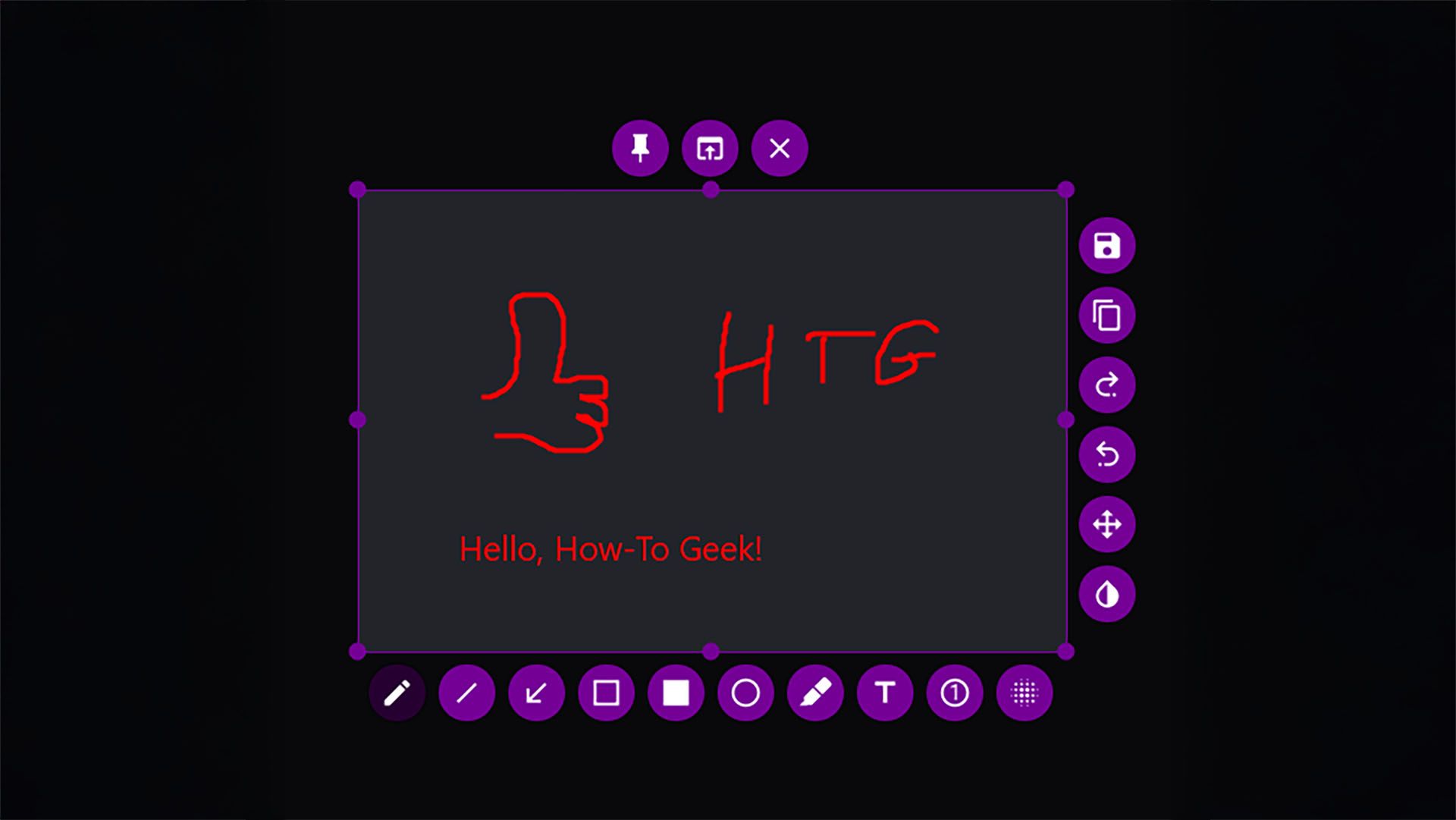
When you need to capture something on your screen, the built-in Windows Snipping Tool often comes to mind. It's been around for years and handles basic tasks like taking a snapshot of a region or window. But if you've ever tried to annotate that screenshot—adding arrows, text, or blurring sensitive data—you've probably felt frustrated by its limited options. That's why a growing number of users are switching to an open-source alternative that not only matches the basics but far exceeds them. Flameshot is a free, open-source screenshot tool available for Windows, Linux, and macOS. It offers a rich set of features including instant annotation, blurring, cropping, and direct uploading to image hosts. Unlike the Snipping Tool, Flameshot lets you edit your screenshot immediately after capture without opening a separate app. Its interface is intuitive, with a toolbar that appears right where you need it, making the entire process seamless.
Flameshot: The Open-Source Screenshot Tool That Outshines Windows Defaults
Flameshot is designed for users who need more than just a basic screenshot. After capturing an image, a floating toolbar appears with options to draw arrows, rectangles, circles, or freehand lines. You can add text in any font, highlight important areas, and even blur parts of the image to hide confidential information. The tool also supports cropping and resizing, and you can undo or redo changes easily. Once you're done, you can save the screenshot locally, copy it to the clipboard, or upload it directly to Imgur or a custom server. This makes sharing quick and efficient, especially for remote teams or support tickets.
Why Are Users Switching from the Snipping Tool?
The Windows Snipping Tool has seen little innovation over the years. While it can capture regions, windows, or the full screen, its annotation capabilities are limited to a basic pen and highlighter. There's no way to add arrows, boxes, or text, and you cannot blur sensitive information. Flameshot fills this gap with a comprehensive set of annotation tools that are easy to use. Additionally, Flameshot supports custom upload destinations, so you can send screenshots directly to your own server or cloud storage. For power users, this eliminates the need to save files manually and then upload them separately.
How Does Flameshot Compare to Other Third-Party Tools?
There are several other popular screenshot tools on the market, such as Greenshot, ShareX, and Lightshot. Greenshot is also open-source but is less actively maintained, with fewer updates and a slightly outdated interface. ShareX is incredibly powerful, offering screen recording, OCR, and many advanced features, but its learning curve can be steep for casual users. Lightshot is simple and user-friendly, but it's closed-source and lacks some advanced annotation options. Flameshot strikes a balance: it's open-source, actively developed, and offers a modern interface with essential features without overwhelming users. It's perfect for those who want a tool that just works without a lot of configuration.
Technical Details and Performance
Flameshot is written in C++ and Qt, which ensures low resource usage and fast capture. It supports multiple monitors, high-DPI displays, and can capture curved or freehand regions—a feature the Snipping Tool lacks. The tool also includes a color picker for selecting colors from the screen, and a pin feature that keeps screenshots on top of other windows for easy reference. Performance-wise, Flameshot launches instantly and saves files in PNG, JPEG, or BMP formats. The application is lightweight and doesn't slow down your system, even when running in the background.
Who Benefits from Flameshot?
Developers, designers, and technical writers will appreciate the annotation tools and direct upload to image hosts. For example, a developer can quickly capture a bug, draw arrows to highlight the issue, and upload it directly to a project management tool. Business users can annotate screenshots for documentation or support tickets, adding text and arrows to clarify instructions. Casual users who occasionally need to highlight parts of a screenshot will find Flameshot's simplicity appealing. For Russian-speaking users, Flameshot supports Cyrillic text in annotations, making it accessible to a wider audience.
What's Next for Flameshot?
The Flameshot project is actively maintained on GitHub, with regular updates adding new features. Currently, screen recording is in beta, and improved cloud integration is on the roadmap. The community is responsive, and users can request features or contribute code. Given its open-source nature, Flameshot is likely to continue evolving and adapting to user needs. If you're looking for a screenshot tool that grows with you, Flameshot is a solid choice.
Summary
Flameshot is a compelling alternative to the Windows Snipping Tool, offering a rich set of annotation and sharing features in a free, open-source package. If you're tired of the Snipping Tool's limitations and want a tool that lets you edit, annotate, and share screenshots quickly, Flameshot is worth a try. It's available for download from its official website or GitHub repository. Give it a shot, and you might never go back to the default tool.